|
Step one:
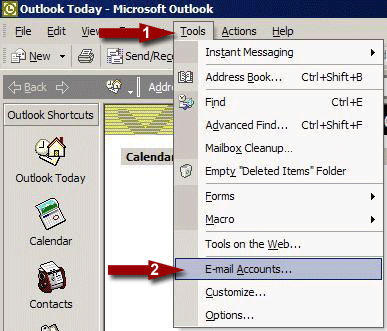
(1) Click on Tools and then (2) click on E-Mail Accounts:
Step Two:
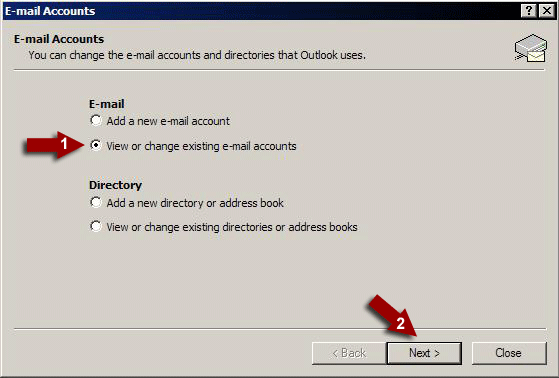
(1) Click on "View or change existing email accounts" and then (2) click Next:
Step Three:
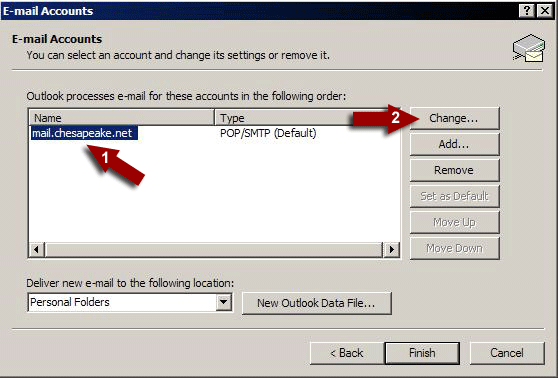
(1) Click on "mail.chesapeake.net" once and then (2) click on the Change button:
Step Four:
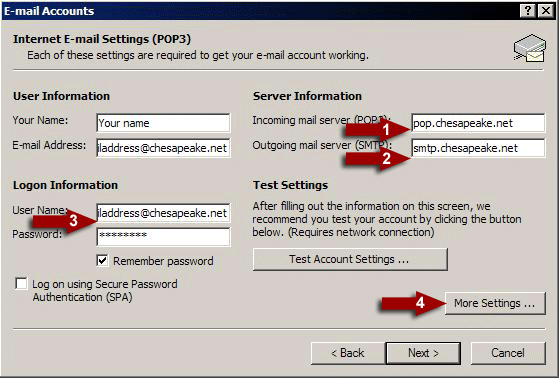
(1) Change the Incoming mail server to "pop.chesapeake.net" and then
(2) Change the Outgoing mail server to "smtp.chesapeake.net" and then
(3) Change the User Name to your email address, including the @chesapeake.net.
(4) click on the "More Settings" button:
Step Five:
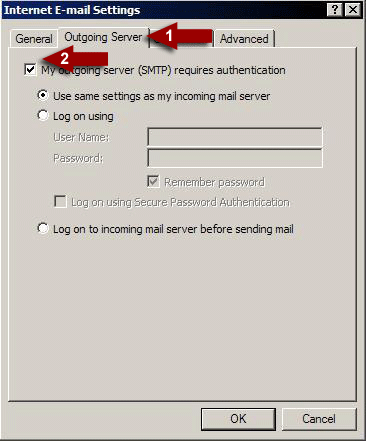
Under Internet E-mail settings (1) click on the "Outgoing Server" tab and then (2) add a check next to "My outgoing server (SMTP) requires authentication" and then click OK:
Step Six:
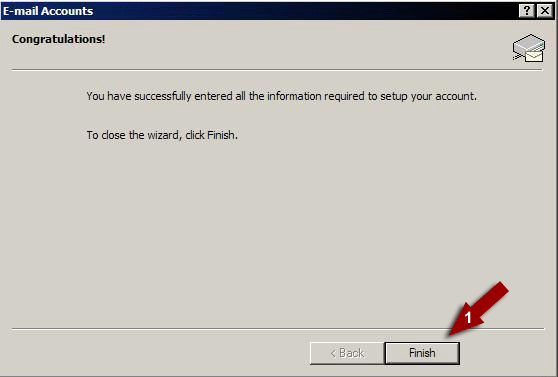
Click Next and then (1) click Finish:
|